French Accent Marks: A Guide to French Typography
Accents are not decoration in French, they carry meaning, signal pronunciation, and often distinguish one word from another. If you care about clarity, professionalism, and sounding like you truly know the language, you must master French accent marks, French diacritics, and the core rules of French typography. This guide gives you both: practical methods to type every accent on any device, and the typographic conventions that make your writing look native-level. If you need structured help along the way, PrepFrench Classes provide guided practice inside each French course so you can apply these rules naturally in emails, essays, and messages. In short, correct accents make your French readable, respectful, and accurate, and they are essential for anyone who wants to learn French with confidence.
Free First Step
Take the guesswork out of learning French.
Not sure where to begin, which course fits your goal, or how long it will take? Book a free demo class with PrepFrench Classes and get a personalized plan built around your level, schedule, and goals.
Understanding French Diacritics
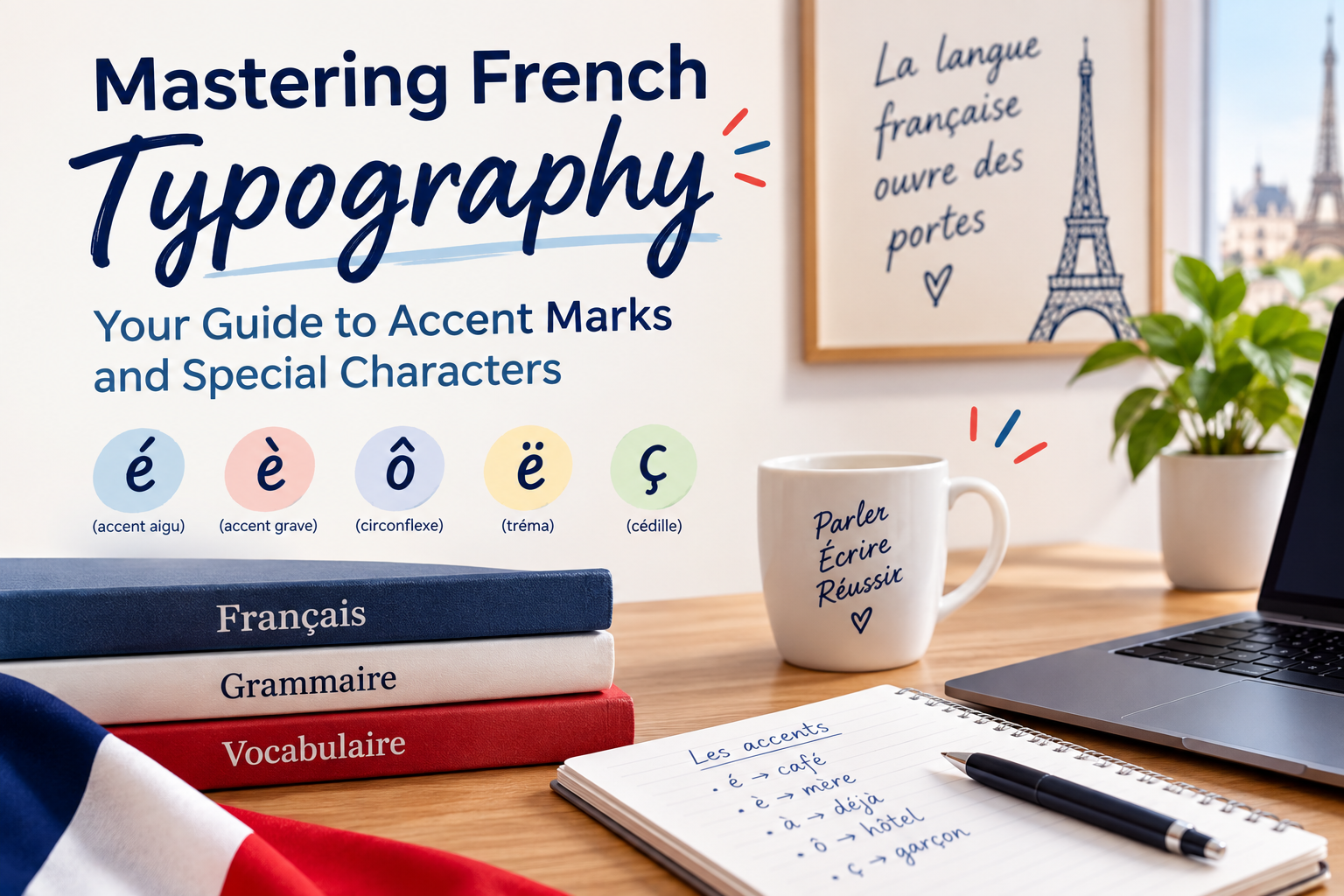
French diacritics are the small marks you see above or below letters. They modify sound, meaning, or both. The main ones are the acute accent, grave accent, circumflex, trema, and the cedilla. You will also encounter two common ligatures: œ and æ. Below is what each one does, with high-frequency examples you can memorize.
The Acute Accent (é)
The acute accent appears only on the letter e. It indicates a closed vowel sound, like the e in “café.” It often appears at the end of words or before a silent consonant.
- Examples: café, été, étudiant, clé, dé, protéger
The Grave Accent (è, à, ù)
On e, the grave accent signals an open vowel sound, like “bed.” On a and u, it can distinguish words with different meanings.
- è: mère, très, après, succès
- à: à vs a (preposition vs verb form), déjà
- ù: où vs ou (where vs or)
The Circumflex (ê, ô, î, â, û)
The circumflex may mark a historical s that disappeared, and sometimes it distinguishes homographs. It can slightly affect pronunciation, especially on e and o.
- Examples: forêt, hôpital, fête, mûr vs mur, dû vs du
- Note: Since the 1990 spelling reforms, the circumflex over i and u is sometimes optional, except when meaning would change, such as du vs dû.
The Trema or Diaeresis (ë, ï, ü, ö, ä)
The trema shows that two adjacent vowels are pronounced separately. It often appears in names or when a vowel would otherwise join a neighbor into a single sound.
- Examples: Noël, maïs, naïf, haïr, ambiguë, canoë
The Cedilla (ç)
The cedilla appears under c to force a soft s sound before a, o, u. Without it, c would be pronounced like k.
- Examples: ça, français, leçon, reçu
Ligatures (œ, æ)
Ligatures combine two letters that function as a single unit in certain words. In modern usage, œ is common while æ is rare and often reserved for words of Latin or Greek origin.
- œ: cœur, sœur, bœuf, œuvre, œuf
- æ: curriculum vitæ, ex æquo (often written without the ligature in informal contexts)
In our online French classes, you will practice these marks in context, which helps you connect spelling to pronunciation and meaning quickly. You will also learn efficient typing habits so the marks become automatic as you write.
How to Type French Accent Marks
You do not need a French keyboard to type accents correctly, but it can help. Below are reliable ways to type French special characters on Windows, macOS, Linux, and mobile devices, plus notes on AZERTY vs QWERTY for French.
Typing Accents on Windows
Windows offers several paths. Choose the one that fits your setup and habits.
-
Add the United States-International layout:
- Settings > Time & Language > Language & Region > Keyboard > Add a keyboard > United States-International.
- Dead keys: ' then e gives é, ` then e gives è, ^ then e gives ê, " then e gives ë.
- Ç and ç: Right Alt (AltGr) + , gives ç, Shift + AltGr + , gives Ç.
- à: ` then a. ù: ` then u. ô: ^ then o.
-
Use Alt codes with the numeric keypad:
- Hold Alt and type a code on the keypad: é 0233, É 0201, è 0232, à 0224, ù 0249, ê 0234, â 0226, î 0238, ô 0244, û 0251, ë 0235, ï 0239, ç 0231, Ç 0199.
- Ligatures: œ 0156, Œ 0140. Guillemets: « 0171, » 0187.
- Tip: Turn Num Lock on. Alt codes require a keypad. On a laptop without one, use an external keypad or another method below.
-
Windows touch keyboard and character map:
- Enable the touch keyboard from the taskbar. Long-press a letter to see accents.
- Use the built-in Character Map app to copy-paste œ, æ, « », and others when needed.
-
Switch to a French or Canadian French layout:
- AZERTY (France) or Canadian French (QWERTY variant) puts accents on dedicated keys.
- Great if you write French daily. Expect a short learning curve compared with QWERTY.
Typing Accents on macOS
Mac makes accent entry quick with press-and-hold popups and Option key shortcuts.
-
Press and hold:
- Hold a letter to show accented choices, then press the number of the variant: e → é è ê ë, a → à â ä, c → ç, o → ô ö, i → î ï, u → ù û ü.
-
Option key combinations:
- é: Option + e, then e. è: Option + `, then e. ê: Option + i, then e. ë: Option + u, then e.
- ç: Option + c. à: Option + `, then a. ù: Option + `, then u. ô: Option + i, then o.
- Ligatures: œ: Option + q. Œ: Option + Shift + q. æ: Option + ' (apostrophe). Æ: Option + Shift + '.
- Guillemets: press and hold the double-quote key to pick « and » in many apps, or insert from Edit > Emoji & Symbols.
-
Add French or Canadian French layout:
- System Settings > Keyboard > Text Input > Input Sources > + > French or Canadian French.
Typing Accents on Linux
Linux offers flexible methods, notably the Compose key and Unicode entry.
-
Compose key sequences:
- Enable a Compose key in your keyboard settings. Then type sequences like Compose + ' + e → é, Compose + ` + e → è, Compose + ^ + e → ê, Compose + " + e → ë.
- ç: Compose + , + c. œ: Compose + o + e. æ: Compose + a + e. Guillemets: Compose + < + < → «, and Compose + > + > → ».
-
Unicode input:
- Press Ctrl + Shift + u, type the hex code, then Space or Enter: é e9, è e8, ê ea, ë eb, ç e7, œ 0153, æ 00e6, « 00ab, » 00bb.
-
Install a French keyboard layout:
- Choose FR (AZERTY) or Canadian French (QWERTY). Either layout makes accents straightforward.
Typing Accents on Mobile Devices
On both iOS and Android keyboards, long-press is your best friend.
- Press and hold a base letter to see accents: e → é è ê ë, a → à â ä, c → ç, o → ô ö, i → î ï, u → ù û ü.
- For « » and œ: long-press the double-quote key for guillemets, long-press o for œ on many French keyboards. If not visible, add a French keyboard in Settings.
- Add French or Canadian French layout for faster access if you write French often.
Which layout should you pick, AZERTY or QWERTY for French? If you already type fast on QWERTY, try United States-International or Canadian French first. If you intend to work or study in France, AZERTY can be worth the switch. In our French courses, your teacher will help you pick a layout and shortcuts that match your device and goals, then build muscle memory with targeted drills.
Structured French Courses
Stop learning French the slow way.
Apps and random videos keep you stuck at beginner level forever. PrepFrench Classes gives you a structured path, a real teacher, and speaking practice that moves you forward at every lesson.
Available for: beginners · TEF/TCF exam prep · Canadian PR · work and daily French
French Typography Essentials
Typing accents is only half the story. Good French typography includes spacing rules, correct quotation marks, accents on capitals, and number formatting conventions. Following these norms improves readability and shows cultural respect, especially in professional or academic writing. Several of these rules are codified by the Imprimerie nationale and supported by major style guides in the Francophone world.
Non-breaking Spaces and Punctuation
French uses a (usually thin) space before certain punctuation. On the web, use a narrow non-breaking space to keep punctuation attached to the word, which prevents ugly line breaks.
- Insert a space before: ; : ! ? and inside « ».
- HTML: use for a narrow non-breaking space or when thin spacing is not available.
- Word processors: Ctrl + Shift + Space (Windows) inserts a non-breaking space. On Mac, Option + Space works in many apps.
- Examples: « Bonjour ! » C’est clair : tu viens ?
French Quotation Marks Usage
French prefers guillemets « » with thin non-breaking spaces inside. English-style quotes are common in informal contexts, but professional writing leans on guillemets.
- Correct: « Je suis prêt ! »
- Typing tips: Windows Alt codes « 0171, » 0187. On Mac, insert via press-and-hold on the quote key or the Character Viewer.
Accents on Capital Letters
Accents belong on capital letters in French. Skipping them is a habit from typewriter days, not a rule. They preserve meaning and pronunciation.
- Examples: État, À propos, CÉLINE, NOËL, ÇA.
- Meaning matters: sur vs sûr, du vs dû, a vs à.
Numbers and Percent Spacing
French formats numbers differently from English.
- Decimal comma: 3,14 not 3.14.
- Space for thousands: 12 500 not 12,500. Use a non-breaking space to keep the group together.
- Percent and currency: add a space before % and after the number for €, for example 20 % and 10 €.
- Units: 25 kg, 20 °C with a non-breaking space.
If you want guided practice on writing standards, our French lessons include short writing labs where you apply these spacing and punctuation norms as you write emails, résumés, and exam responses.
Common Mistakes to Avoid
Even confident learners make avoidable errors with accents and spacing. Here are the ones we correct most often in PrepFrench Classes, with the right fix.
Missing Accents on Capitals
Leaving off accents on capital letters looks sloppy and can change meaning. Use keyboard shortcuts or layout switches to make it easy.
- Wrong: CA VA
- Right: ÇA VA
- Wrong: ETE 2024
- Right: ÉTÉ 2024
Incorrect Spacing Before Punctuation
In French, certain punctuation needs a space before it. Keep that space non-breaking on the web or in print-oriented tools.
- Wrong: Tu viens?
- Right: Tu viens ?
- Wrong: Il a dit:«Bonjour».
- Right: Il a dit : « Bonjour ».
Misusing Quotation Marks
English-style quotes are understandable, but guillemets are standard in formal French texts and many publications.
- Better: « Je t’appelle demain .»
- If you use “ ”, still add a thin space before ! ? : ; when in French context.
Numbers Formatting Errors
English habits creep in. Switch to the French pattern to avoid confusion, especially in professional documents or exams.
- Wrong: 1,234.50 $
- Right: 1 234,50 $ or 1 234,50 € depending on currency
- Wrong: 20%
- Right: 20 %
Inside our free demo class, ask your French teacher for a quick diagnostic of your typing habits. Small tweaks usually fix most of these mistakes within a week of practice.
Quick Reference Toolbox
Accent Typing Cheatsheet
Use this table as your fast lookup for the most reliable ways to type French accent marks across devices. Pick one primary workflow and use it consistently for 10 days, you will build muscle memory quickly.
| Platform | Best Method | Keys & Examples | Notes |
|---|---|---|---|
| Windows | United States-International | ' + e → é, ` + e → è, ^ + e → ê, " + e → ë, AltGr + , → ç | Fast, works without keypad, easy to learn. |
| Windows | Alt Codes (keypad) | é 0233, è 0232, à 0224, ç 0231, œ 0156, « 0171, » 0187 | Requires NumPad. Good for rare symbols and ligatures. |
| macOS | Press-and-hold or Option keys | Option + e then e → é, Option + c → ç, Option + q → œ, hold e for menu | Simple and discoverable, great for all levels. |
| Linux | Compose key or Unicode | Compose + ' + e → é, Compose + , + c → ç, Ctrl + Shift + u e9 → é | Powerful and consistent across apps. |
| iOS / Android | Long-press | Hold e → é è ê ë, hold c → ç, hold o → ô ö œ (on FR layout) | Add a French keyboard for the best options. |
| Any platform | Switch to French layout (AZERTY or Canadian French) | Direct keys for é, è, à, ç, etc. | Best if you write French every day. |
Typography Norms Summary
- Use guillemets « » with a thin non-breaking space on each side of the quoted text: « Texte ».
- Insert a space before ; : ! ? and make it non-breaking on the web: Tu viens ?
- Keep accents on capitals: État, À, ÇA, NOËL.
- Numbers: decimal comma and space for thousands, non-breaking around symbols: 1 234,50 €, 20 %.
- Ligatures: use œ in cœur, sœur, œuvre. æ appears in a few learned words such as ex æquo.
- AZERTY vs QWERTY: AZERTY gives dedicated accent keys. Canadian French keeps QWERTY while adding easy accents.
Want a printable cheatsheet and personalized drills inside a structured French course? Join our French language classes and get the PDF toolbox plus teacher feedback as you practice.
PrepFrench Classes
Ready to start French with a clear plan?
Book a FREE demo class and get a personalized roadmap for your level, goal, and timeline. No pressure, no obligation.
Explore courses:
All French Courses · Full TCF Canada Course · Full TEF Canada Course
FAQ: French Accents, Typing, and Typography
Do capital letters require accents in French, and why?
Yes. In modern French typography, capital letters take accents. Skipping them is a typewriter-era limitation, not a rule. Accents mark pronunciation and meaning, which matters for clarity. Compare sur vs sûr, du vs dû, or a vs à. In professional writing, exams, and academic work, missing accents on capitals can look careless. If you struggle to type them, switch to a layout with easy shortcuts or practice in a structured French course. PrepFrench teachers help you set up workflows so É, À, and Ç become second nature.
What’s the difference between é and è, and when should I use each?
é is a closed e sound, like in “café,” while è is an open e sound, like in “mère.” The acute accent (é) appears frequently at word ends or before a silent consonant, for example clé, marché, étudiant. The grave accent (è) appears in words like très, après, mère. Choosing the right accent helps with pronunciation and can affect meaning. In our French lessons, you will pair spelling with audio drills so the difference becomes obvious to your ear and hand.
How do I type French accents on Windows without a numeric keypad?
Install the United States-International layout. It turns certain keys into “dead keys” that add accents to letters. For instance: ' then e → é, ` then e → è, ^ then e → ê, " then e → ë, and AltGr + , → ç. This method works well on laptops that lack a numeric keypad. You can also use the Windows touch keyboard for long-press options, or switch to the Canadian French layout if you prefer staying on QWERTY while gaining direct accent keys. If you need a quick setup walkthrough, book a free demo.
What are the spacing rules before : ; ! ? in French?
French inserts a space before ; : ! ? and uses a thin non-breaking space in high-quality typesetting. On the web, use the narrow non-breaking space code so the punctuation does not separate from the preceding word at line breaks. Example: Tu viens ? and Voici la règle : c’est simple. Also use thin spaces inside « » and non-breaking spaces around units and symbols like %, €, and °C. These norms are taught explicitly in PrepFrench writing modules inside our online French classes.
How can I type œ/Œ and ç/Ç on various platforms?
Windows: Alt codes, œ 0156, Œ 0140, ç 0231, Ç 0199, or use US-International for ç via AltGr + ,. macOS: Option + q → œ, Option + Shift + q → Œ, Option + c → ç. Linux: Compose key sequences, Compose + o + e → œ, Compose + , + c → ç. Mobile: add a French keyboard and long-press o for œ and c for ç. In all cases, practice a single consistent method during your French course to build speed. PrepFrench will provide you with a personalized cheatsheet if you need one.
Final Thoughts
When you add correct French accent marks and follow French typography norms, you make your writing clearer and more respectful of the language. You also support correct pronunciation and comprehension when you learn French, because spelling patterns reflect sound. From non-breaking spaces before ! and ? to putting accents on capitals and using œ in cœur, these habits are small but powerful. They impress teachers, clients, and examiners, and they reduce misunderstandings in daily communication.
If you feel stuck, you are not alone. Most learners never got a simple, unified system for typing and spacing. PrepFrench Classes fix that inside each French course: we help you choose the right keyboard layout, give you a compact typing cheatsheet, and coach you until accents become reflex. Your messages, emails, and essays will immediately look more native and professional.
✅ Next Step: Book a free demo class with PrepFrench Classes and start learning French the right way.
Keep this guide handy as you write. Consistent practice for even 10 minutes a day, plus the right keyboard shortcuts, will make accents and spacing automatic within two weeks.
Written by
Platform Administrator
Practical ideas from the Prep French team for learners building confidence, preparing for exams, and planning their next step in Canada.
Join the discussion
Leave a thoughtful comment.
Your email address will not be published. Comments are reviewed before appearing.